

If you have been in Realcore for a while, you know the routine: Prospects lived in one place, Clients lived somewhere else, and switching between the two was just part of the workflow. In Angelo, that changes.
My Data is now My CRM — and the biggest update inside it is a section called Companies.
Prospects and Clients are no longer two separate lists. They live together in one unified workspace where you can filter, sort, and manage every company relationship from a single screen. Less clicking around, more time actually working your book.
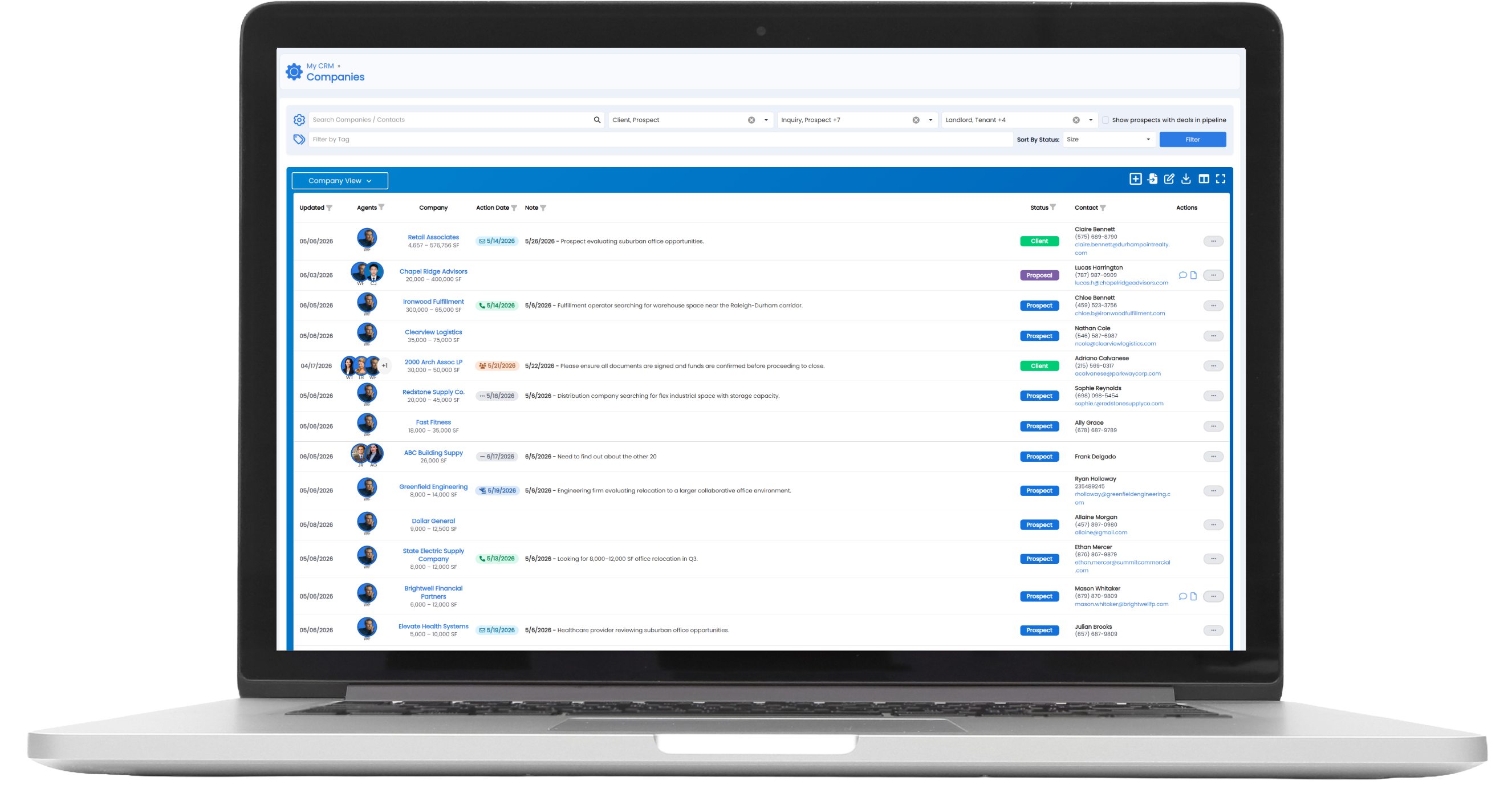
One list, smarter filtering.
The Companies page gives you three layers of filtering — by relationship type (Client, Prospect, Landlord, Tenant, Buyer, Seller, and more), by deal stage (Inquiry, Proposal, LOI, Lease, and others), and by party type. Mix and match to see exactly the slice of your book you want. Want every Prospect currently in the Proposal stage? Two clicks.
Company View vs. Contact View.
Toggle between one row per company or one row per contact. Running an outbound campaign and need a contact list to export? Switch to Contact View and download it.
Update your next action right from the list.
No need to open a record just to log a follow-up. Set your Next Action — call, email, meeting — and the date directly in the row. It saves automatically.
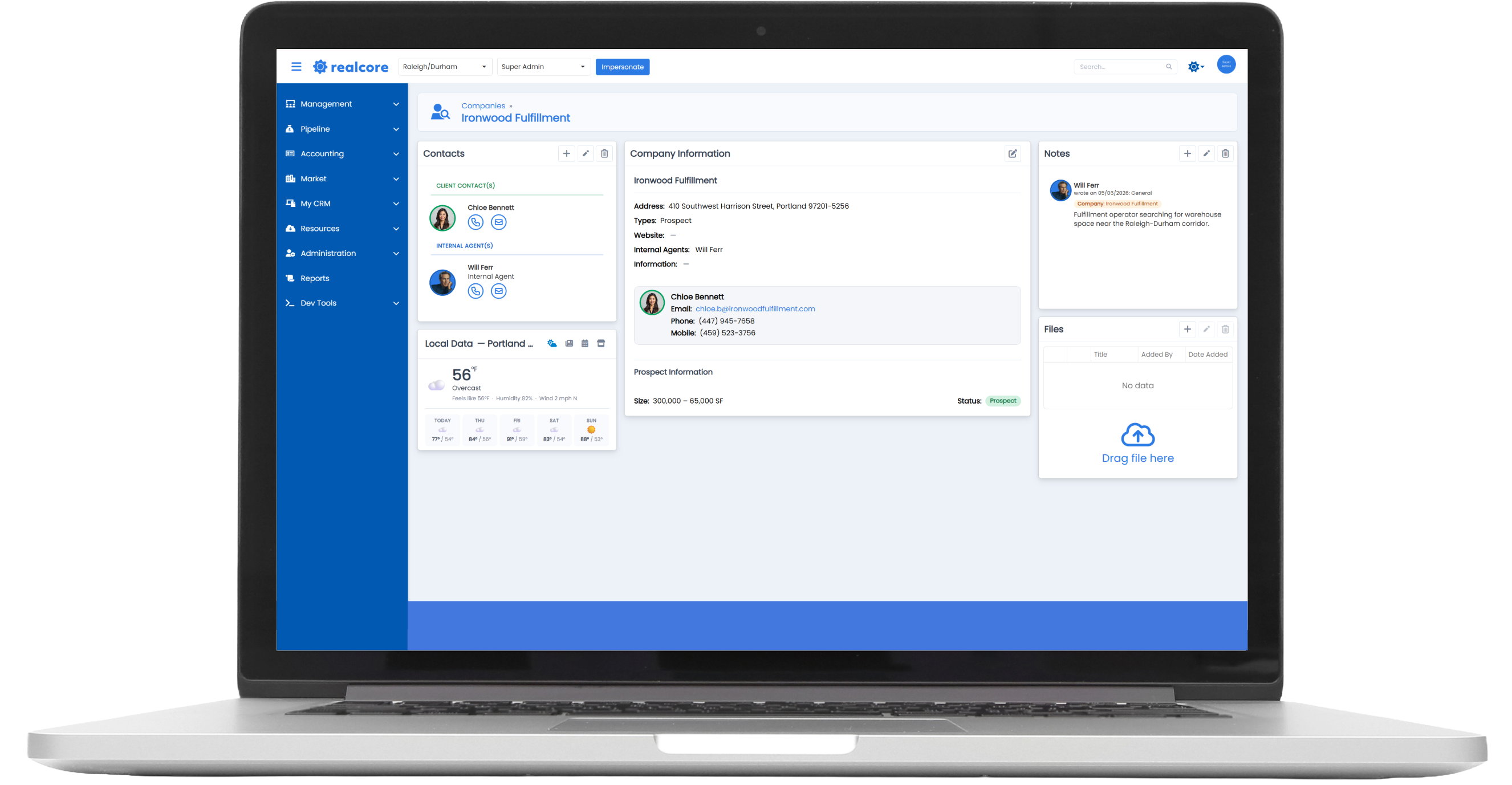
A full relationship picture in one click.
Click into any company and you land on a detail page that pulls everything together: contacts, notes, files, properties and tenant lease expirations, and a local data feed with current weather, recent news, and nearby businesses. The kind of pre-call prep that used to take 10 minutes across browser tabs is now one screen.
Push to Pipeline without leaving your CRM.
When a prospect is ready to become a deal, hit Add to Pipeline right from the Companies list. The record moves over as a new deal candidate and your CRM entry stays intact.
My CRM is one of the most meaningful upgrades in Angelo for agents who are actively prospecting. Read on for a full walkthrough and how to hit the ground running on day one.
Get a Head Start — Watch the How-To Videos
You don't have to wait until launch to get familiar with Angelo. We've put together a library of how-to videos available right now at www.realcoreapps.com/guide.
Log in with the password Angelo2026 to access walkthroughs of the new features and modules. We'll continue adding content as we get closer to launch, so check back regularly.
We’re here to help! If you need help finding specific data, email us at: support@realcoreapps.com or visit our Support Page for tutorials and more.
And don’t forget — this month’s live trainings are happening soon! No RSVP needed—just join. You’ll find dates, times, and links here.